AI, Software, Coding, Internet Security Thread

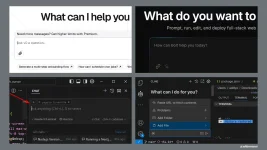
I've observed two distinct patterns in how teams are leveraging AI for development. Let's call them the "bootstrappers" and the "iterators." Both are helping engineers (and even non-technical users) reduce the gap from idea to execution (or MVP).
1. How developers are actually using AI​

To view this content we will need your consent to set third party cookies.
For more detailed information, see our cookies page.


1736149844104.webp

The Bootstrappers: Zero to MVP​

Tools like Bolt, v0, and screenshot-to-code AI are revolutionizing how we bootstrap new projects. These teams typically:

  • Start with a design or rough concept
  • Use AI to generate a complete initial codebase
  • Get a working prototype in hours or days instead of weeks
  • Focus on rapid validation and iteration
The results can be impressive. I recently watched a solo developer use Bolt to turn a Figma design into a working web app in next to no time. It wasn't production-ready, but it was good enough to get very initial user feedback.

The Iterators: daily development​

The second camp uses tools like Cursor, Cline, Copilot, and WindSurf for their daily development workflow. This is less flashy but potentially more transformative. These developers are:

  • Using AI for code completion and suggestions
  • Leveraging AI for complex refactoring tasks
  • Generating tests and documentation
  • Using AI as a "pair programmer" for problem-solving
But here's the catch: while both approaches can dramatically accelerate development, they come with hidden costs that aren't immediately obvious.

2. The 70% problem: AI's learning curve paradox​

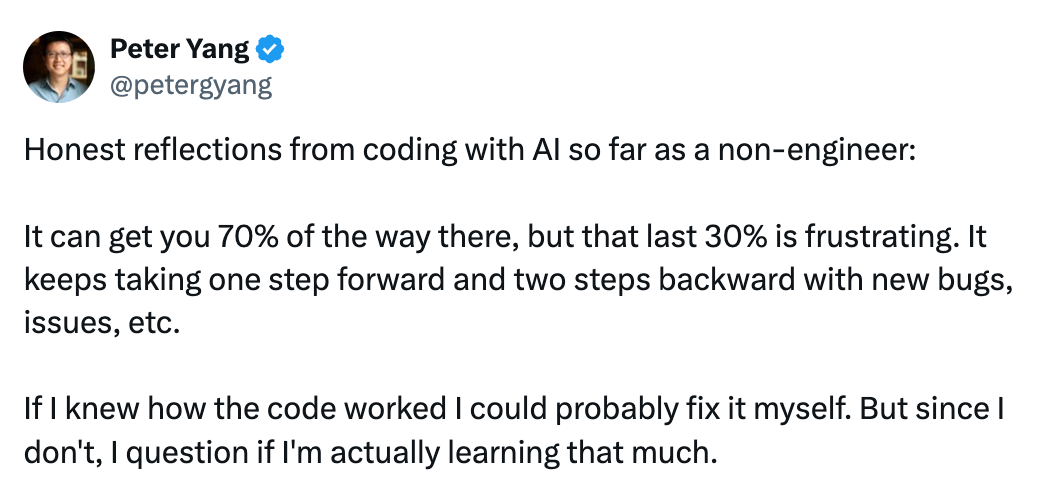
A tweet that recently caught my eye perfectly captures what I've been observing in the field: Non-engineers using AI for coding find themselves hitting a frustrating wall. They can get 70% of the way there surprisingly quickly, but that final 30% becomes an exercise in diminishing returns.
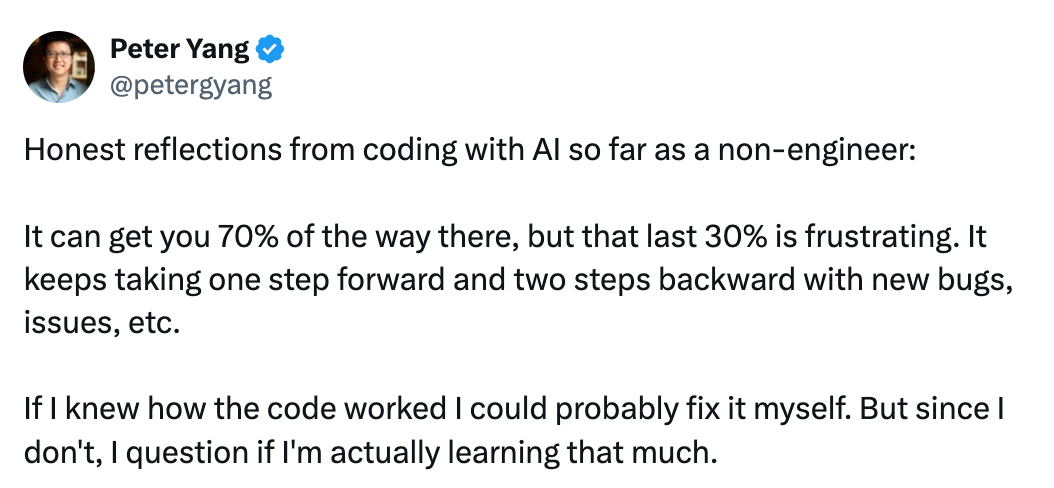


This "70% problem" reveals something crucial about the current state of AI-assisted development. The initial progress feels magical: you can describe what you want, and AI tools like v0 or Bolt will generate a working prototype that looks impressive. But then reality sets in.

The two steps back pattern​

What typically happens next follows a predictable pattern:

  • You try to fix a small bug
  • The AI suggests a change that seems reasonable
  • This fix breaks something else
  • You ask AI to fix the new issue
  • This creates two more problems
  • Rinse and repeat
This cycle is particularly painful for non-engineers because they lack the mental models to understand what's actually going wrong. When an experienced developer encounters a bug, they can reason about potential causes and solutions based on years of pattern recognition. Without this background, you're essentially playing whack-a-mole with code you don't fully understand.

The hidden cost of "AI Speed"​

When you watch a senior engineer work with AI tools like Cursor or Copilot, it looks like magic. They can scaffold entire features in minutes, complete with tests and documentation. But watch carefully, and you'll notice something crucial: They're not just accepting what the AI suggests. They're constantly:

  • Refactoring the generated code into smaller, focused modules
  • Adding edge case handling the AI missed
  • Strengthening type definitions and interfaces
  • Questioning architectural decisions
  • Adding comprehensive error handling
In other words, they're applying years of hard-won engineering wisdom to shape and constrain the AI's output. The AI is accelerating implementation, but their expertise is what keeps the code maintainable.

Junior engineers often miss these crucial steps. They accept the AI's output more readily, leading to what I call "house of cards code" – it looks complete but collapses under real-world pressure.

A knowledge gap​

The most successful non-engineers I've seen using AI coding tools take a hybrid approach:

  • Use AI for rapid prototyping
  • Take time to understand how the generated code works
  • Learn basic programming concepts alongside AI usage
  • Build up a foundation of knowledge gradually
  • Use AI as a learning tool, not just a code generator
But this requires patience and dedication, which is exactly the opposite of what many people hope to achieve by using AI tools in the first place.

The knowledge paradox​

Here's the most counterintuitive thing I've discovered: AI tools help experienced developers more than beginners. This seems backward. Shouldn't AI democratize coding?

The reality is that AI is like having a very eager junior developer on your team. They can write code quickly, but they need constant supervision and correction. The more you know, the better you can guide them.

This creates what I call the "knowledge paradox":

  • Seniors use AI to accelerate what they already know how to do
  • Juniors try to use AI to learn what to do
  • The results differ dramatically
I've watched senior engineers use AI to:

  • Rapidly prototype ideas they already understand
  • Generate basic implementations they can then refine
  • Explore alternative approaches to known problems
  • Automate routine coding tasks
Meanwhile, juniors often:

  • Accept incorrect or outdated solutions
  • Miss critical security and performance considerations
  • Struggle to debug AI-generated code
  • Build fragile systems they don't fully understand
There's a deeper issue here: The very thing that makes AI coding tools accessible to non-engineers, their ability to handle complexity on your behalf, can actually impede learning. When code just "appears" without you understanding the underlying principles:

  • You don't develop debugging skills
  • You miss learning fundamental patterns
  • You can't reason about architectural decisions
  • You struggle to maintain and evolve the code
This creates a dependency where you need to keep going back to AI to fix issues, rather than developing the expertise to handle them yourself.

Implications for the future​

This "70% problem" suggests that current AI coding tools are best viewed as:

  • Prototyping accelerators for experienced developers
  • Learning aids for those committed to understanding development
  • MVP generators for validating ideas quickly
But they're not yet the coding democratization solution many hoped for. The final 30%, the part that makes software production-ready, maintainable, and robust, still requires real engineering knowledge.

The good news? This gap will likely narrow as tools improve. But for now, the most pragmatic approach is to use AI to accelerate learning, not replace it entirely.

3. What actually works: practical patterns​

After observing dozens of teams, here's what I've seen work consistently:

"AI first draft" pattern​

Let AI generate a basic implementation

  • Manually review and refactor for modularity
  • Add comprehensive error handling
  • Write thorough tests
  • Document key decisions

"Constant conversation" pattern​

Start new AI chats for each distinct task

  • Keep context focused and minimal
  • Review and commit changes frequently
  • Maintain tight feedback loops

"Trust but verify" pattern​

  • Use AI for initial code generation
  • Manually review all critical paths
  • Conduct automated testing of edge cases
  • Implement regular security audits

4. What does this mean for developers?​

Despite these challenges, I'm optimistic about AI's role in software development. The key is understanding what it's really good for:

  • Accelerating the known. AI excels at helping us implement patterns we already understand. It's like having an infinitely patient pair programmer who can type really fast.
  • Exploring the possible. AI is great for quickly prototyping ideas and exploring different approaches. It's like having a sandbox where we can rapidly test concepts.
  • Automating the routine. AI dramatically reduces the time spent on boilerplate and routine coding tasks, letting us focus on the interesting problems.
If you're just starting with AI-assisted development, here's my advice:

Start small

  • Use AI for isolated, well-defined tasks
  • Review every line of generated code
  • Build up to larger features gradually
Stay modular

  • Break everything into small, focused files
  • Maintain clear interfaces between components
  • Document your module boundaries
Trust your experience

  • Use AI to accelerate, not replace, your judgment
  • Question generated code that feels wrong
  • Maintain your engineering standards


5. The rise of agentic software engineering​

The landscape of AI-assisted development is shifting dramatically as we head into 2025. While the current tools have already changed how we prototype and iterate, I believe we're on the cusp of an even more significant transformation: the rise of agentic software engineering.

1736149999089.webp

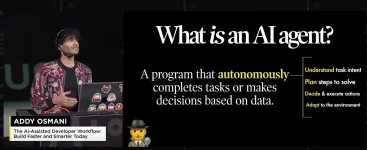
What do I mean by "agentic"? Instead of just responding to prompts, these systems can plan, execute, and iterate on solutions with increasing autonomy.

To view this content we will need your consent to set third party cookies.
For more detailed information, see our cookies page.


If you’re interested in learning more about agents, including my take on Cursor/Cline/v0/Bolt, you may be interested in my recent JSNation talk above.

We're already seeing early signs of this evolution:

From responders to collaborators​

Current tools mostly wait for our commands. But look at newer features like Anthropic's computer use in Claude, or Cline's ability to automatically launch browsers and run tests. These aren't just glorified autocomplete. They're actually understanding tasks and taking the initiative to solve problems.

Think about debugging: Instead of just suggesting fixes, these agents can:

  • Proactively identify potential issues
  • Launch and run test suites
  • Inspect UI elements and capture screenshots
  • Propose and implement fixes
  • Validate the solutions work (this could be a big deal)

The Multimodal future​

The next generation of tools may do more than just work with code. They could seamlessly integrate:

  • Visual understanding (UI screenshots, mockups, diagrams)
  • Verbal language conversations
  • Environment interaction (browsers, terminals, APIs)
This multimodal capability means they can understand and work with software the way humans do: holistically, not just at the code level.

Autonomous but guided​

The key insight I've gained from working with these tools is that the future isn't about AI replacing developers. It's about AI becoming an increasingly capable collaborator that can take initiative while still respecting human guidance and expertise.

1736150105615.webp

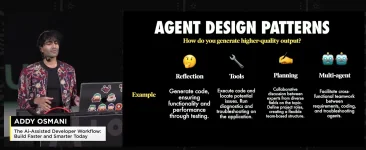
The most effective teams in 2025 may be those that learn to:

  • Set clear boundaries and guidelines for their AI agents
  • Establish strong architectural patterns that agents can work within
  • Create effective feedback loops between human and AI capabilities
  • Maintain human oversight while leveraging AI autonomy

The English-first development environment​

As Andrej Karpathy noted:

"The hottest new programming language is English."

This is a fundamental shift in how we'll interact with development tools. The ability to think clearly and communicate precisely in natural language is becoming as important as traditional coding skills.

This shift toward agentic development will require us to evolve our skills:

  • Stronger system design and architectural thinking
  • Better requirement specification and communication
  • More focus on quality assurance and validation
  • Enhanced collaboration between human and AI capabilities

6. The return of software as craft?​

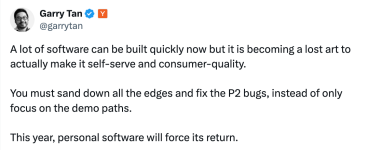
While AI has made it easier than ever to build software quickly, we're at risk of losing something crucial: the art of creating truly polished, consumer-quality experiences.

1736150147041.png

The demo-quality trap​

It's becoming a pattern: Teams use AI to rapidly build impressive demos. The happy path works beautifully. Investors and social networks are wowed. But when real users start clicking around? That's when things fall apart.

I've seen this firsthand:

  • Error messages that make no sense to normal users
  • Edge cases that crash the application
  • Confusing UI states that never get cleaned up
  • Accessibility completely overlooked
  • Performance issues on slower devices
These aren't just P2 bugs. They're the difference between software people tolerate and software people love.

The lost art of polish​

Creating truly self-serve software, the kind where users never need to contact support, requires a different mindset:

  • Obsessing over error messages
  • Testing on slow connections
  • Handling every edge case gracefully
  • Making features discoverable
  • Testing with real, often non-technical users
This kind of attention to detail (perhaps) can't be AI-generated. It comes from empathy, experience, and deep care about craft.

The renaissance of personal software​

I believe we're going to see a renaissance of personal software development. As the market gets flooded with AI-generated MVPs, the products that will stand out are those built by developers who:

  • Take pride in their craft
  • Care about the little details
  • Focus on the full user experience
  • Build for the edge cases
  • Create truly self-serve experiences
The irony? AI tools might actually enable this renaissance. By handling the routine coding tasks, they free up developers to focus on what matters most: creating software that truly serves and delights users.

The bottom line​

AI isn't making our software dramatically better because software quality was (perhaps) never primarily limited by coding speed. The hard parts of software development — understanding requirements, designing maintainable systems, handling edge cases, ensuring security and performance — still require human judgment.

What AI does do is let us iterate and experiment faster, potentially leading to better solutions through more rapid exploration. But this will only happen if we maintain our engineering discipline and use AI as a tool, not as a replacement for good software practices. Remember: The goal isn't to write more code faster. It's to build better software. Used wisely, AI can help us do that. But it's still up to us to know what "better" means and how to get it.

Additional thoughts​

Gergely again. Thank you, Addy, for this pragmatic summary on how to rethink our expectations on AI and software engineering. If you enjoyed this piece from Addy, check out his other articles and his latest book: Leading Effective Engineering Teams.

Here are my additional thoughts on AI and software engineering.

A good time to refresh what software engineering​

Much of the disclosure on AI tooling for software engineering focuses on code generation capabilities, and rightfully so. AI tools are impressive in generating working code from prompts, or suggesting inline code as you build software. But how much of the process of building software is coding itself? About 50 years ago, Fred Brooks thought that it is around 15-20% of all time spent. Here are Brooks’ thoughts from The Mythical Man-Month:

“For some years, I have been successfully using the following rule of thumb for scheduling a software task:

⅓ planning

⅙ coding

¼ component test and early system test

¼ system test, all components in hand.”
My take is that today, software engineers probably spend their time like this:

  • 20% planning
  • 40% coding (code + tests)
  • 20% code review (others' code)
  • 20% production readiness + rollout + small fixes during this + monitoring+alerting
At the same time, building standout software has a lot of other parts:

  1. What: Figure out what to build. This can involve brainstorming, designing, user testing, working with product managers and business stakeholders, and so on. For startups, this phase can take very little time (“just build it and see if it works!”). For established companies, it can take up more time t
    1. han building, though (“we need to make sure what we build doesn’t confuse our existing customers!”).
    2. How: Draw up a plan on how to build the product/feature/service. Think through architecture implications, dependencies, how to test the product, and so on. Again, startups might be able to skip this stage, and the team can jump straight to planning. But for larger companies with more services and dependencies, leaving out planning will come back to bite the team. So most teams are doing some kind of planning using Design docs, RFCs, or ADRs.
    3. Build: Implement the feature or product: write the code, and make sure it works.
    4. Verify: Double check that it works as expected before shipping to production. This is especially important in cases where shipping is high-stakes: for example, shipping a regression to a banking app could have financial implications for customers, and the business! We went into details about QA in QA across the tech industry.
    5. Ship it: Merge the change, and ship to customers. There are plenty of strategies to ship changes to production. We covered several of these in Shipping to production.
    6. Monitoring and oncall: Detect when something is wrong with the product. If there’s an outage, resolve it as soon as possible, and then make sure a similar outage won’t happen again. We looked at these common approaches in Healthy oncall practices and in Incident review and postmortem best practices.
    7. Maintain: Listen to customer complaints and feedback, and decide which bugs warrant fixing, and which are feature requests to prioritize. And figure out what feedback to disregard.
    8. Migrate: If the product goes under large changes, or if the tech stack sees major changes — like a new framework — there might need to be migrations. We covered more in Migrations done well.
  2. AI tools today can help a lot with the “Build” part. But here is a good question: Just how useful are they for the other 7 things that are also part of software engineering?

    Needing no developers: the dream since the 1960s​

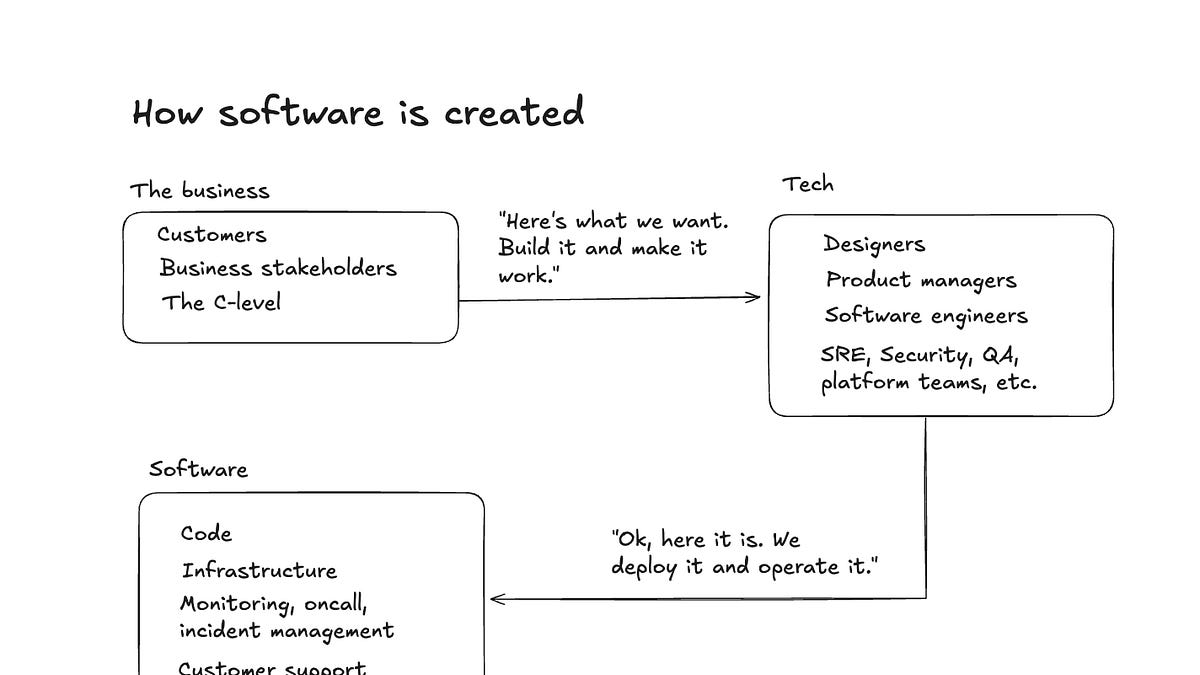
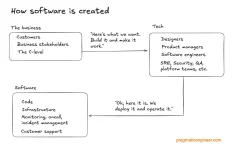
    Non-technical people creating working software without needing to rely on software developers has been the dream since the 1960s. Coding is about translating from what people want (the customers, business stakeholders, the product manager, and so on) to what the computer understands. LLMs offer us a higher level of abstraction where we can turn English into code. However, this new abstraction does not change the nature of how software is created, – and what software is, – which is this:

1736150234073.webp

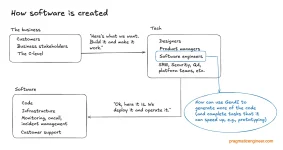
GenAI tools don’t change the process, but they do make some of the coding parts more efficient:

1736150304359.webp

 
Throughout the history of technology, new innovations promised the ability for business folks to collapse or bypass the “tech” part, and get straight to working software from their high-level prompts. This was the aspiration of:

  • 1960s: the high-level programming language COBOL. COBOL stands for “common, business-oriented language.” The stated goal of this language was to allow business people with no programming background to use it.
  • 1990s: Visual Basic. A programming language meant to have a very low learning curve, plus a visual environment where forms can be created with drag-and-drop.
  • Late 2010s: The no-code movement. Through templates and visual editing, no-code solutions like Bubble offer a way to build software applications.
Unsurprisingly, several GenAI coding startups aspire for the same goal: to allow anyone to create software, by using the English language. In the past, we have seen success for simpler use cases. For example, these days, there is no coding knowledge needed to create a website: non-technical people can use visual editors and services like Wix.com, Webflow, Ghost or WordPress.

The higher-level the abstraction, the harder it is to specify how exactly the software should work. No-code solutions already ran into this exact limitation. As advisory CTO Alex Hudson writes in his article The no-code delusion:

“The development of these syntaxes has generally run into the problem of expression: once they are simple enough to pick up quickly, they are no longer expressive enough to use in many scenarios. And vice-versa: some languages have the ability to define a custom language within them, called domain-specific languages (DSLs). Few of these languages have ever been truly successful amongst the development community at large, primarily because they again make things extremely complex.”
For more complex software, it’s hard to see not needing software engineers taking part in planning, building and maintaining software. And the more GenAI lowers the barrier for non-technical people to create software, the more software there will be to maintain.

AI agents: a major promise, but also a big “unknown” for 2025​

Two years after the launch of LLMs, many of us have gotten a pretty good handle on how to use them to augment our coding and software engineering work. They are great for prototyping, switching to less-familiar languages, and tasks where you can verify their correctness, and call out hallucinations or incorrect output.

AI agents, on the other hand, are in their infancy. Most of us have not used them extensively. There is only one generally available agent, Devin, at $500/month, and early responses are mixed.

A lot of venture funding will be pouring into this area. We’ll see more AI coding agent tools launch, and the price point will also surely drop as a result. GitHub Copilot is likely to make something like Copilot Workspace (an agentic approach) generally available in 2025. And we’ll probably see products from startups like what Stripe’s former CTO, David Singleton founded (/dev/agents.)

AI agents trade off latency and cost (much longer time spent computing results and running prompts several times, paraphrased by these startups as “thinking”) for accuracy (better results, based on the prompts). There are some good questions about how much accuracy will improve with this latency+cost tradeoff, and what engineering use cases will see significant productivity boost as a result.

Demand for experienced software engineers could increase​

Experienced software engineers could be in more demand in the future than they are today. The common theme we’re seeing with AI tooling is how senior-and-above engineers can use these tools more efficiently, as they can “aim” better with them. When you know what “great output” looks like, you can prompt better, stop code generation when it’s getting things wrong, and you can know when to stop prompting and go straight to the source code to fix the code itself.

We will see a lot more code produced with the help of these AI tools, and a lot more people and businesses start building their own solutions. As these solutions hit a level of complexity, it’s a safe bet that many of them will need to bring in professionals as they attempt to tame the complexity: complexity that requires experienced engineers to deal with. Existing tech companies will almost certainly produce more code with AI tools: and they will rely on experienced engineers to deal with the increase of complexity that necessarily follows.

As a software engineer, mastering AI-assisted development will make you more productive, and also more valuable. It’s an exciting time to be working in this field: we’re living through a time of accelerated tooling innovation. It does take time to figure out how to “tame” the current tools in a way that makes you the most productive: so experiment with them!

I hope you’ve found the practical approaches from Addy helpful. For additional pointers, see the issue AI Tooling for Software Engineers in 2024: Reality Check.

 
Sam Altman

« Back to blog

Reflections


The second birthday of ChatGPT was only a little over a month ago, and now we have transitioned into the next paradigm of models that can do complex reasoning. New years get people in a reflective mood, and I wanted to share some personal thoughts about how it has gone so far, and some of the things I’ve learned along the way.

As we get closer to AGI, it feels like an important time to look at the progress of our company. There is still so much to understand, still so much we don’t know, and it’s still so early. But we know a lot more than we did when we started.

We started OpenAI almost nine years ago because we believed that AGI was possible, and that it could be the most impactful technology in human history. We wanted to figure out how to build it and make it broadly beneficial; we were excited to try to make our mark on history. Our ambitions were extraordinarily high and so was our belief that the work might benefit society in an equally extraordinary way.

At the time, very few people cared, and if they did, it was mostly because they thought we had no chance of success.

In 2022, OpenAI was a quiet research lab working on something temporarily called “Chat With GPT-3.5”. (We are much better at research than we are at naming things.) We had been watching people use the playground feature of our API and knew that developers were really enjoying talking to the model. We thought building a demo around that experience would show people something important about the future and help us make our models better and safer.

We ended up mercifully calling it ChatGPT instead, and launched it on November 30th of 2022.

We always knew, abstractly, that at some point we would hit a tipping point and the AI revolution would get kicked off. But we didn’t know what the moment would be. To our surprise, it turned out to be this.

The launch of ChatGPT kicked off a growth curve like nothing we have ever seen—in our company, our industry, and the world broadly. We are finally seeing some of the massive upside we have always hoped for from AI, and we can see how much more will come soon.


It hasn’t been easy. The road hasn’t been smooth and the right choices haven’t been obvious.

In the last two years, we had to build an entire company, almost from scratch, around this new technology. There is no way to train people for this except by doing it, and when the technology category is completely new, there is no one at all who can tell you exactly how it should be done.

Building up a company at such high velocity with so little training is a messy process. It’s often two steps forward, one step back (and sometimes, one step forward and two steps back). Mistakes get corrected as you go along, but there aren’t really any handbooks or guideposts when you’re doing original work. Moving at speed in uncharted waters is an incredible experience, but it is also immensely stressful for all the players. Conflicts and misunderstanding abound.

These years have been the most rewarding, fun, best, interesting, exhausting, stressful, and—particularly for the last two—unpleasant years of my life so far. The overwhelming feeling is gratitude; I know that someday I’ll be retired at our ranch watching the plants grow, a little bored, and will think back at how cool it was that I got to do the work I dreamed of since I was a little kid. I try to remember that on any given Friday, when seven things go badly wrong by 1 pm.


A little over a year ago, on one particular Friday, the main thing that had gone wrong that day was that I got fired by surprise on a video call, and then right after we hung up the board published a blog post about it. I was in a hotel room in Las Vegas. It felt, to a degree that is almost impossible to explain, like a dream gone wrong.

Getting fired in public with no warning kicked off a really crazy few hours, and a pretty crazy few days. The “fog of war” was the strangest part. None of us were able to get satisfactory answers about what had happened, or why.

The whole event was, in my opinion, a big failure of governance by well-meaning people, myself included. Looking back, I certainly wish I had done things differently, and I’d like to believe I’m a better, more thoughtful leader today than I was a year ago.

I also learned the importance of a board with diverse viewpoints and broad experience in managing a complex set of challenges. Good governance requires a lot of trust and credibility. I appreciate the way so many people worked together to build a stronger system of governance for OpenAI that enables us to pursue our mission of ensuring that AGI benefits all of humanity.

My biggest takeaway is how much I have to be thankful for and how many people I owe gratitude towards: to everyone who works at OpenAI and has chosen to spend their time and effort going after this dream, to friends who helped us get through the crisis moments, to our partners and customers who supported us and entrusted us to enable their success, and to the people in my life who showed me how much they cared. [1]

We all got back to the work in a more cohesive and positive way and I’m very proud of our focus since then. We have done what is easily some of our best research ever. We grew from about 100 million weekly active users to more than 300 million. Most of all, we have continued to put technology out into the world that people genuinely seem to love and that solves real problems.


Nine years ago, we really had no idea what we were eventually going to become; even now, we only sort of know. AI development has taken many twists and turns and we expect more in the future.

Some of the twists have been joyful; some have been hard. It’s been fun watching a steady stream of research miracles occur, and a lot of naysayers have become true believers. We’ve also seen some colleagues split off and become competitors. Teams tend to turn over as they scale, and OpenAI scales really fast. I think some of this is unavoidable—startups usually see a lot of turnover at each new major level of scale, and at OpenAI numbers go up by orders of magnitude every few months. The last two years have been like a decade at a normal company. When any company grows and evolves so fast, interests naturally diverge. And when any company in an important industry is in the lead, lots of people attack it for all sorts of reasons, especially when they are trying to compete with it.

Our vision won’t change; our tactics will continue to evolve. For example, when we started we had no idea we would have to build a product company; we thought we were just going to do great research. We also had no idea we would need such a crazy amount of capital. There are new things we have to go build now that we didn’t understand a few years ago, and there will be new things in the future we can barely imagine now.

We are proud of our track-record on research and deployment so far, and are committed to continuing to advance our thinking on safety and benefits sharing. We continue to believe that the best way to make an AI system safe is by iteratively and gradually releasing it into the world, giving society time to adapt and co-evolve with the technology, learning from experience, and continuing to make the technology safer. We believe in the importance of being world leaders on safety and alignment research, and in guiding that research with feedback from real world applications.

We are now confident we know how to build AGI as we have traditionally understood it. We believe that, in 2025, we may see the first AI agents “join the workforce” and materially change the output of companies. We continue to believe that iteratively putting great tools in the hands of people leads to great, broadly-distributed outcomes.

We are beginning to turn our aim beyond that, to superintelligence in the true sense of the word. We love our current products, but we are here for the glorious future. With superintelligence, we can do anything else. Superintelligent tools could massively accelerate scientific discovery and innovation well beyond what we are capable of doing on our own, and in turn massively increase abundance and prosperity.

This sounds like science fiction right now, and somewhat crazy to even talk about it. That’s alright—we’ve been there before and we’re OK with being there again. We’re pretty confident that in the next few years, everyone will see what we see, and that the need to act with great care, while still maximizing broad benefit and empowerment, is so important. Given the possibilities of our work, OpenAI cannot be a normal company.

How lucky and humbling it is to be able to play a role in this work.

(Thanks to Josh Tyrangiel for sort of prompting this. I wish we had had a lot more time.)


[1]

There were a lot of people who did incredible and gigantic amounts of work to help OpenAI, and me personally, during those few days, but two people stood out from all others.

Ron Conway and Brian Chesky went so far above and beyond the call of duty that I’m not even sure how to describe it. I’ve of course heard stories about Ron’s ability and tenaciousness for years and I’ve spent a lot of time with Brian over the past couple of years getting a huge amount of help and advice.

But there’s nothing quite like being in the foxhole with people to see what they can really do. I am reasonably confident OpenAI would have fallen apart without their help; they worked around the clock for days until things were done.

Although they worked unbelievably hard, they stayed calm and had clear strategic thought and great advice throughout. They stopped me from making several mistakes and made none themselves. They used their vast networks for everything needed and were able to navigate many complex situations. And I’m sure they did a lot of things I don’t know about.

What I will remember most, though, is their care, compassion, and support.

I thought I knew what it looked like to support a founder and a company, and in some small sense I did. But I have never before seen, or even heard of, anything like what these guys did, and now I get more fully why they have the legendary status they do. They are different and both fully deserve their genuinely unique reputations, but they are similar in their remarkable ability to move mountains and help, and in their unwavering commitment in times of need. The tech industry is far better off for having both of them in it.

There are others like them; it is an amazingly special thing about our industry and does much more to make it all work than people realize. I look forward to paying it forward.

On a more personal note, thanks especially to Ollie for his support that weekend and always; he is incredible in every way and no one could ask for a better partner.

 
To view this content we will need your consent to set third party cookies.
For more detailed information, see our cookies page.


Sam Altman hints AI's next major breakthrough is within reach​

 
To view this content we will need your consent to set third party cookies.
For more detailed information, see our cookies page.


Every Tech Job Explained in 10 minutes​

 
Both stocks and commodities. No crypto though, too many outside factors and players.
 
The foundation of AI is Python programming.

Machine learning are already there, but Chat GPT make general public can access this technology that previously under large companies exclusive use. Data science, machine learning and data analysis Python libraries are actually open source, so what Chat GPT is doing is to bring back this Python programming nature as open source language that can be accessible to general public, not dominated by large companies anymore

Likely very Good for individuals and SME
Where do you think these large come from? From small startups.
 
That should give an indication of where AI is most useful, not for any innovation, but for where it is the least regulated and used for low end uses
I saw some Israelis at Intel designing complete processors using AI. The small nanometer designs at Intel.
 
To view this content we will need your consent to set third party cookies.
For more detailed information, see our cookies page.


Nvidia slams new reported AI chip export limits​


To view this content we will need your consent to set third party cookies.
For more detailed information, see our cookies page.
 
To view this content we will need your consent to set third party cookies.
For more detailed information, see our cookies page.


Zuckerberg's STUNNING Statement: “AI Will Write MOST Software Soon"​


To view this content we will need your consent to set third party cookies.
For more detailed information, see our cookies page.


My Plans for 2025 in an AI-Driven Market​

 
To view this content we will need your consent to set third party cookies.
For more detailed information, see our cookies page.


The Complete Cybersecurity Roadmap: Land a Cybersecurity Job in 10 Months​

 
To view this content we will need your consent to set third party cookies.
For more detailed information, see our cookies page.


So it is likely that SnowFlake using Open AI API to access their AI model to improve their service to the clients by hearing the statement from their CEO "We are partnering with them"

We will see what will happen with SnowFlake if companies using AWS Cloud Computing and Open AI API to manage their internal data
 
Last edited:
To view this content we will need your consent to set third party cookies.
For more detailed information, see our cookies page.


To view this content we will need your consent to set third party cookies.
For more detailed information, see our cookies page.
 

Users who are viewing this thread

Back
Top